



We want to overlay GPS data (speed, altitude, time, and coordinates) on a video, synchronized with both time and movement. One situation where I’d need this is when I have a sports or dash camera that doesn’t have GPS. Besides the camera, we also need a smartphone that can record GPS data along the route we’re filming, and the app we use must be able to export GPX files.
First we start the app on the smartphone, then the video recording. At the end, we stop the video first, then the route recording. This way we’ll have GPS data recorded for the entire duration of the video clip.
A GPX file looks like this:
1 2 3 4 5 6 7 8 9 10 11 12 13 14 15 16 17 18 19 20 21 22 23 24 25 26 27 28 29 30 31 | <?xml version="1.0" encoding="UTF-8" ?> <gpx xmlns="https://www.topografix.com/GPX/1/1" creator="GPSCalculator PRO v. 7.5" version="1.1" xmlns:xsi="http://www.w3.org/2001/XMLSchema-instance" xsi:schema <metadata> <desc><![CDATA[Name: Tue 26.Apr..2016 18:26:00 Points: 10 points. Distance: 116.35 m. Time: 00:01:43 Overall Avg.: 4 km./hour Max. Speed: 4.9 km./hour Maximum Elevation: 93.5 m. Minimum Elevation: 85.5 m. Date: 26 April 2016 Start Time: 18:26:00]]> </desc> </metadata> <trk> <name><![CDATA[Tue 26.Apr..2016 18:26:00]]></name> <trkseg> <trkpt lat="45.7288158684969" lon="21.2354567181319"><ele>86.5</ele><time>2016-04-26T15:26:00Z</time></trkpt> <trkpt lat="45.7288115099072" lon="21.2352432310581"><ele>85.5</ele><time>2016-04-26T15:26:23Z</time></trkpt> <trkpt lat="45.7288185507059" lon="21.2350284466989"><ele>90.5</ele><time>2016-04-26T15:26:36Z</time></trkpt> <trkpt lat="45.7288548443466" lon="21.2348152510822"><ele>86.5</ele><time>2016-04-26T15:26:49Z</time></trkpt> <trkpt lat="45.728908656165" lon="21.2346146721393"><ele>90.5</ele><time>2016-04-27T15:27:02Z</time></trkpt> <trkpt lat="45.7288885395974" lon="21.2344053760171"><ele>88.5</ele><time>2016-04-27T15:27:14Z</time></trkpt> <trkpt lat="45.7288787327707" lon="21.2343772128224"><ele>88.5</ele><time>2016-04-27T15:27:16Z</time></trkpt> <trkpt lat="45.7289084885269" lon="21.2341684196144"><ele>89.5</ele><time>2016-04-27T15:27:30Z</time></trkpt> <trkpt lat="45.7289127632976" lon="21.2341637257487"><ele>89.5</ele><time>2016-04-27T15:27:31Z</time></trkpt> <trkpt lat="45.7289477996528" lon="21.2340028770268"><ele>93.5</ele><time>2016-04-27T15:27:44Z</time></trkpt> </trkseg> </trk> </gpx> |
We can see that the recording started at 18:26:00 (line 17), but the first logged point appears at 15:26:00 (line 19). That’s because the start time is taken from the phone (Eastern European Time in my case), while the logged time is taken from the GPS satellite, which uses GMT. We need to remember to add 3 hours for correction (if daylight saving time is in effect) or 2 hours (if standard time is in effect).
Since the first line is useless to me (from the video file name I know the recording started at 18:26:13), we’ll delete line 19 or any other lines that contain GPS data recorded before the video started.
To convert GPX to SRT we need the GPSBabel app (free).
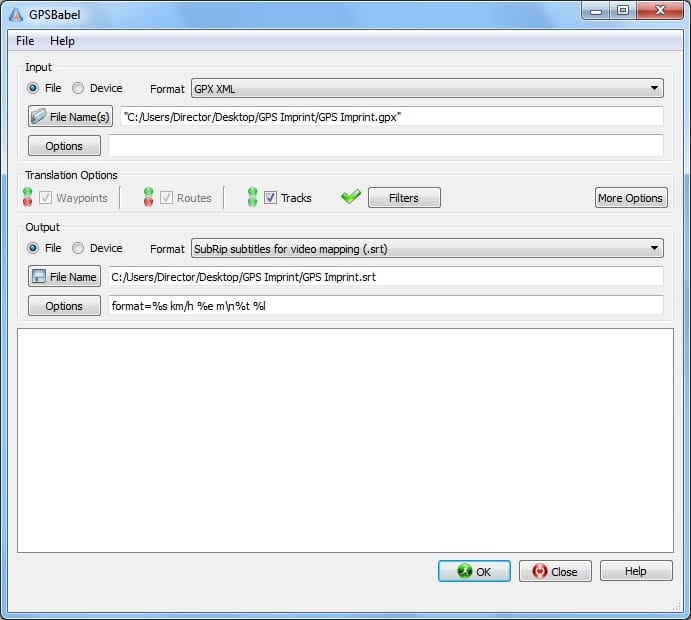
Under Filters we choose
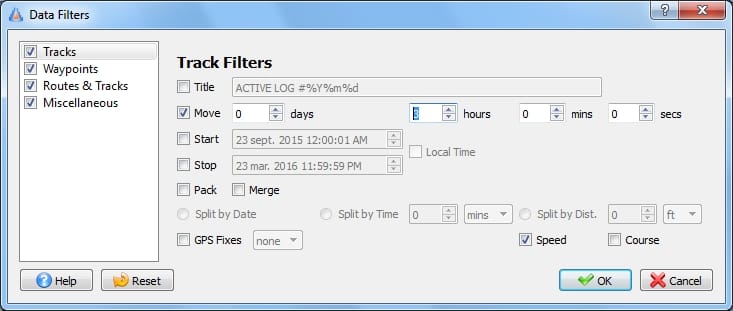
Move – 3 hours (the correction I mentioned above) and we tick Speed, so it will also calculate the speed for us.
Under Options we choose the subtitle format. Clear explanations are in Help.
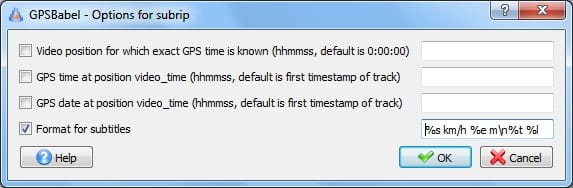
Here I can also use the first 3 parameters if I want second-level accuracy. Explanations are also in Help.
Now I have all the parameters I need, I can start the conversion.
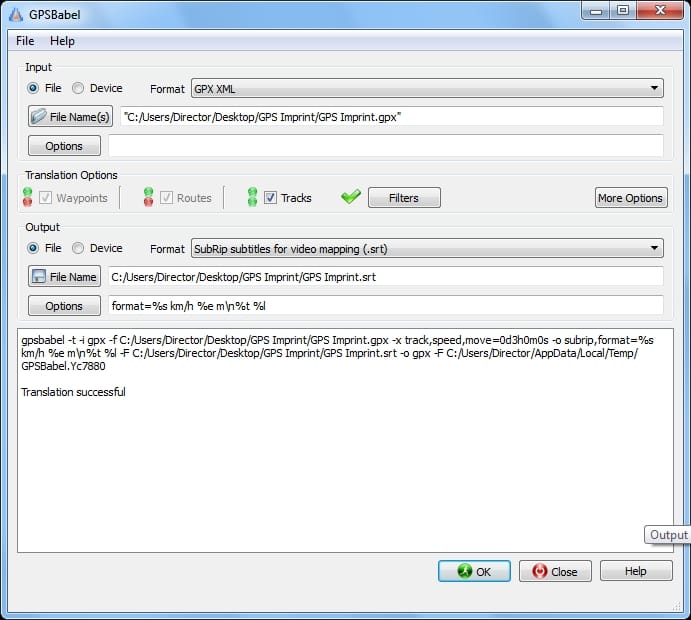
The result looks like this:
1
00:00:00,000 --> 00:00:13,000
0.0 km/h 85 m
18:26:23 Lat=45.72882 Lon=21.23525

2
00:00:13,000 --> 00:00:26,000
4.6 km/h 90 m
18:26:36 Lat=45.72882 Lon=21.23503

.....
.....
Basically, for each GPS record a subtitle with two lines is created.
Now you can upload the subtitle file in YouTube Studio
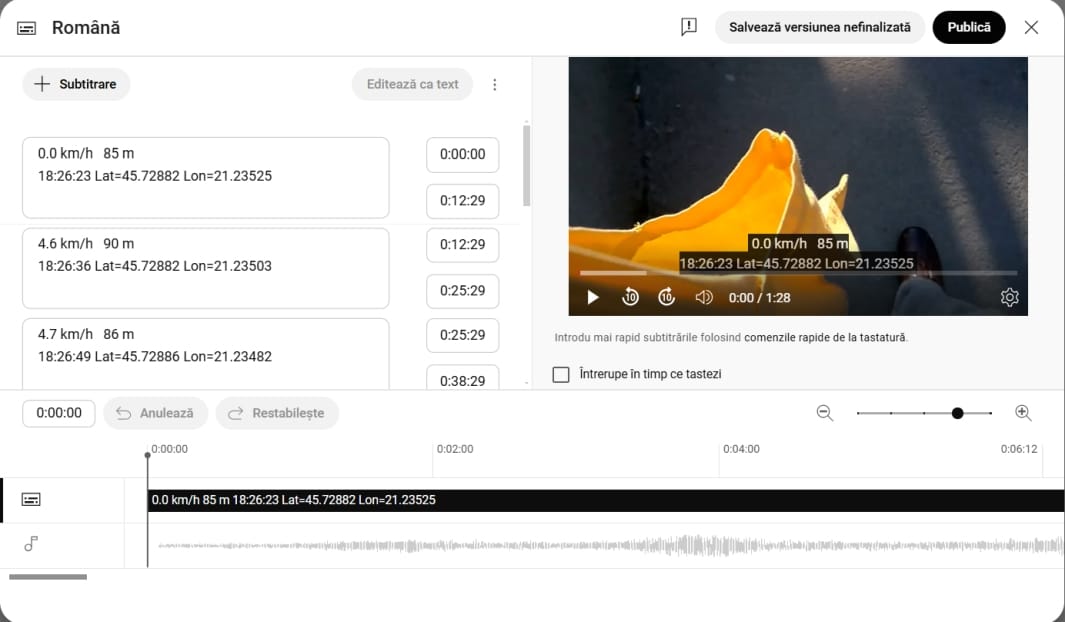
And the result…
Sources: Photo by Vecteezy
