


Is your browser eating too much RAM?
We tested them all in 2026. →See the full results here
After covering the fastest desktop browsers of 2025, it’s time to look at their mobile counterparts and see which one truly deserves to be called the best Android browser.
On Android, picking “the best” or “fastest” browser isn’t as simple as it sounds. Some users care mainly about ad-blocking, others about syncing across devices, and some just want sheer speed.
That’s why in this test we went beyond raw performance and evaluated several key aspects that every modern browser should deliver in 2025.
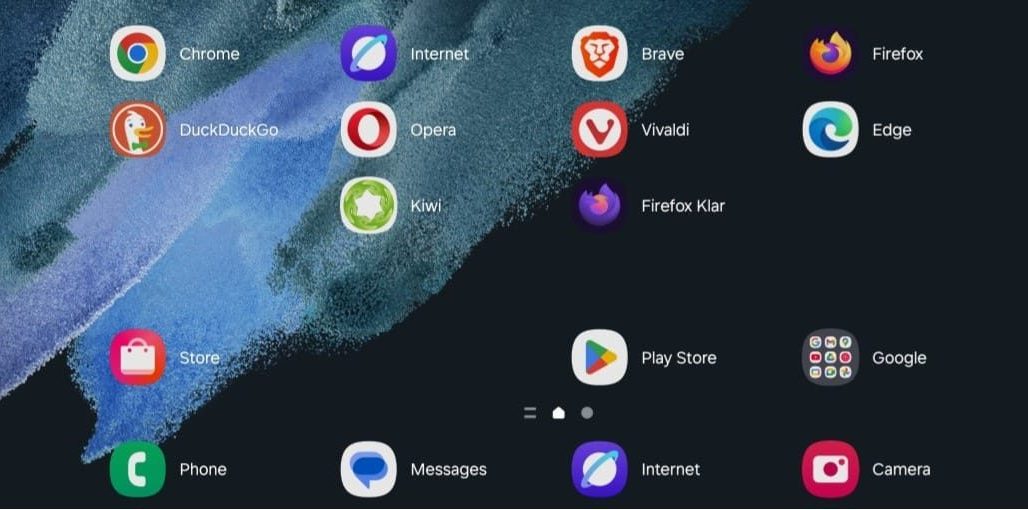
We tested ten of the most popular mobile browsers on a Samsung Galaxy S21 to see which one offers the most complete experience.
While the desktop performance test included browsers with PC versions, this time we also brought in Android-only options.
Testing Methodology
All tests were performed on a Galaxy S21, freshly reset to factory settings, running the latest Android update over a stable Wi-Fi connection. Only default apps and the 10 browsers downloaded from Google Play were installed.
Evaluation was done on three main axes, plus browser-specific features:
- Speedometer 3.1 – JavaScript & real-world UX performance
- Adblock Tester – how many ads are blocked vs displayed
- Cover Your Tracks (EFF) – tracking, cookies and fingerprinting protection
Evaluation Criteria
Each browser was analyzed based on:
- Real-world performance (Speedometer score)
- Ad-blocking efficiency (/100)
- Anti-tracking & fingerprinting protection
- Key features: password manager, sync, page save options, dark mode
- Extension support (if available)
- Subjective observations on UI, responsiveness and odd behavior
| Browser | Ad Blocker | Password Manager | Sync | Extensions | Page Save | Dark Mode | Extension Support | Adblock Efficiency | Privacy (Tracker / Cookie / Fingerprint) | Speedometer | Unique Feature |
|---|---|---|---|---|---|---|---|---|---|---|---|
| Chrome | ❌ | ✅ (Google Passwords) | ✅ | ❌ | HTML only | ✅ | ❌ | 43/100 – minimal blocking | ❌ / ❌ / ❌ (unique) | 2.59 | Full integration with Android & Google ecosystem |
| Samsung Internet | ✅ | ✅ (Samsung Pass) | ✅ | ❌ | PDF & offline | ✅ | ✅ | 77/100 – partial blocking | 🔶 / 🔶 / ❌ (unique) | 8.82 | Optimized for Samsung devices |
| Brave | ✅ | ✅ | ✅ | ❌ | PDF & HTML | ✅ | ❌ | 96/100 – almost everything blocked | ✅ / ✅ / ✅ (non-unique) | 7.25 | Advanced ad-blocking & privacy by default |
| Firefox | ✅ (with extension) | ✅ | ✅ | ✅ | HTML only | ✅ | ✅ | 100/100 – with uBlock Origin | 🔶 / 🔶 / ❌ (unique) | 9.1 | True extensions – requires manual setup |
| DuckDuckGo | ✅ | ❌ | ❌ | ❌ | ❌ | ✅ | ❌ | 67/100 – below expectations | ✅ / ✅ / ❌ (unique) | 2.78 | Simplified private browsing with optional App-Tracking Protection (VPN) |
| Opera | ✅ | ✅ | ✅ | ❌ | HTML only | ✅ | ❌ | 77/100 – solid built-in blocker | ✅ / ❌ / ❌ (unique) | 7.99 | Speed Dial + automatic tab grouping |
| Vivaldi | ✅ | ✅ | ✅ | ✅ | PDF & offline | ✅ | ✅ | 92/100 – standard adblock | ✅ / ✅ / ❌ (unique) | 9.53 | Desktop-style layout: Speed Dial + tab bar like on PC |
| Edge | ❌ | ✅ (Microsoft) | ✅ | ✅* | HTML only | ✅ | ❌ | 33/100 – very weak | ❌ / ❌ / ❌ (unique) | 7.73 | Partial extension support, no native adblocker |
| Kiwi | ✅ | ❌ | ❌ | ✅ | HTML only | ✅ | ✅ | 100/100 – with uBlock enabled | ✅ / ✅ / ✅ (non-unique) | 8.32 | Chrome extensions + uBlock pre-installed and active |
| Firefox Focus (Klar) | ✅ | ❌ | ❌ | ❌ | ❌ | ✅ | ❌ | 64/100 – average | ✅ / ✅ / ❌ (unique) | 7.21 | Ultra-simplified private browsing, no tabs |
Performance Observations
Among all tested browsers, two clearly stood out — but not in a good way — when it came to Speedometer scores: Chrome and DuckDuckGo.
Both scored below 3 in the synthetic test, much lower than the rest. To double-check, we also ran Basemark Web, where Chrome reached 389 points and DuckDuckGo 395 points.
For comparison, Vivaldi achieved 574 points — a useful benchmark for context.
So while Chrome and DuckDuckGo aren’t the slowest in daily use, they definitely aren’t “the fastest kids in class” in synthetic benchmarks.
Recommendations – The Best Android Browser for Every Type of User
For privacy-focused users who want strong ad-blocking
Brave – Out of the box, Brave ranks among the best for ad-blocking and anti-tracking protection, while still offering top-tier speed results.
Kiwi – Supports Chrome extensions, ships with uBlock Origin pre-installed and active, achieving some of the highest tracking and ad-blocking scores.
The downside: no password manager or sync between multiple devices.
Firefox (with extension) – Unlike on desktop where Firefox disappointed, on Android Mozilla did its homework.
The extension store allows installing uBlock Origin, which blocks ads completely in our test. It also delivered the second-best performance score overall.
For power users who want control, extensions & customization
Vivaldi – A desktop-style layout with tab bar and Speed Dial.
It can feel cramped on smaller screens when many tabs are open, but offers near-maximum ad-blocking by default and was the fastest browser in our tests.
Firefox – Multiple extensions, configurable privacy, and top-tier performance make it a solid second choice for customization fans.
For users deeply integrated with Google or Microsoft ecosystems
Chrome – Not the fastest and doesn’t block ads or tracking by default (which makes sense, given Google’s business model).
Still, it’s the most widely used browser thanks to perfect Google Account sync, full Android integration, and overall stability.
Edge – Quick sign-in with Windows and OneDrive, plus multiple Microsoft account support.
Performs better than Chrome in benchmarks, though suffers the same lack of built-in ad-blocking. A good pick if you live in the Microsoft ecosystem.
For organization, multitasking & productivity
Opera – Its Speed Dial is great for quick access to favorite sites, and tabs opened from one page are automatically grouped. Built-in adblocker works decently with no extra setup. Performance sits comfortably in the upper tier.
Samsung Internet – Highly optimized for Samsung phones, offers clean UI, PDF export, and decent ad-blocking. A safe default choice for Samsung owners.
For minimalist users & occasional browsing
DuckDuckGo – Simple interface, fair tracking protection, but only average synthetic performance. Ideal for quick private searches rather than long sessions.
Firefox Focus (Klar) – No multiple tabs, no history saving — designed for quick private sessions. Basically an “incognito tab” turned into a standalone browser.
Extra tip:
If you want YouTube playback in the background without a Premium subscription, your best bets are Brave, Kiwi, and Firefox — all allow background audio either through Desktop Mode or a specific built-in setting.
Conclusion – The Best Android Browser in 2025
Since every user has different priorities, there’s no single “best Android browser.” Instead, there’s the browser that best fits your needs.
- If you value extensions, top ad-blocking, and strong privacy, go with Brave, Kiwi, or Firefox + uBlock Origin.
- If you just want something that works seamlessly out of the box, Chrome, Samsung Internet, or Edge remain perfectly solid choices.
Personally, I use Opera on mobile — I love the quick access to my favorite pages via Speed Dial.
