


Is your browser eating too much RAM?
We tested them all in 2026. →See the full results here
There was a time when it seemed that browsers, our first window to the internet, were somehow going to fade into the background, especially back in the Internet Explorer days, when you could count them on the fingers of one hand, or when all kinds of apps started to become popular and took over part of the browser’s functionality. But that’s not how things turned out; on the contrary, the browser has made a comeback and is now more important than ever. And on our smartphones it’s a central point of use, a major resource hog and, implicitly, a major battery drain.
The truth is that choosing an Android browser is not, in practice, based on battery consumption. Almost nobody installs Chrome, Firefox or Brave thinking that one will use 3–4 percent less battery than another. The real criteria are different: compatibility with modern websites, performance, ecosystem, privacy or extra features.
But we analyzed the battery consumption of Android browsers in real-world conditions precisely so you don’t have to test them yourselves and so you can be informed from every angle.
Test methodology: controlled conditions, realistic usage
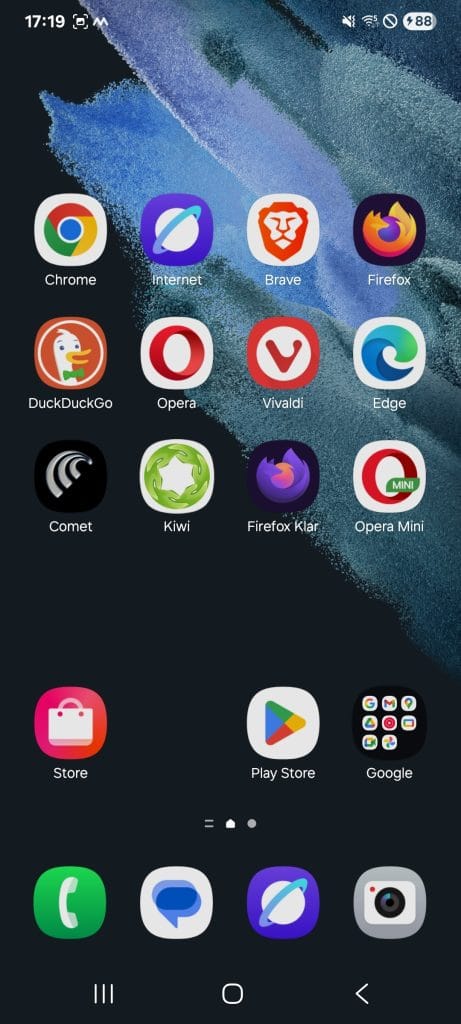
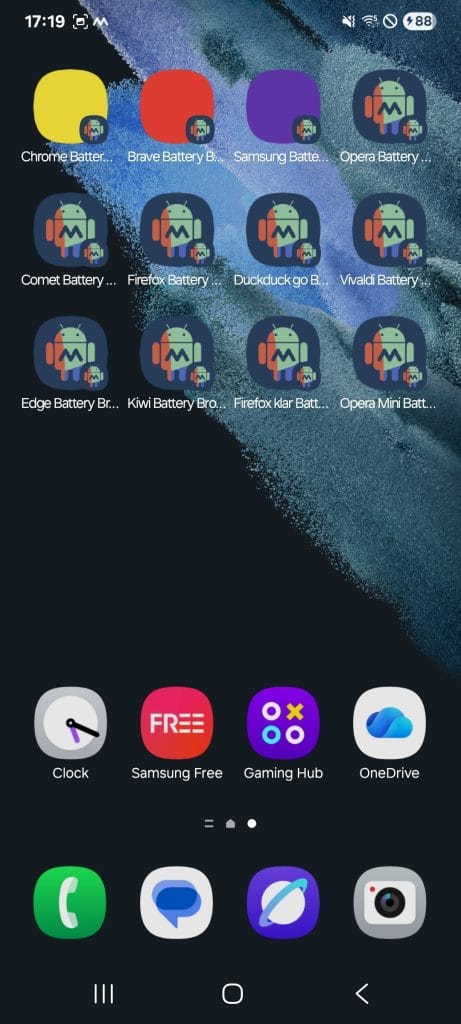
The tests were carried out on a Samsung Galaxy S21, with the latest version of Android and the most recent security patch available at the time of testing. The phone was fully reset to factory settings to eliminate any external influence, and only the native apps plus the tested browsers were kept on it, all updated to the latest version.
Mobile data was completely disabled, all tests running exclusively on Wi‑Fi, on the same network, at the same distance from the router. The phone theme was set to dark mode, the system’s standard variant.
Before each test:
- the phone was charged to 100%;
- the tested browser was set as the system default browser;
- all background apps were closed;
- screen brightness and volume were manually set to 50%;
- the screen was kept permanently on for the duration of the test.
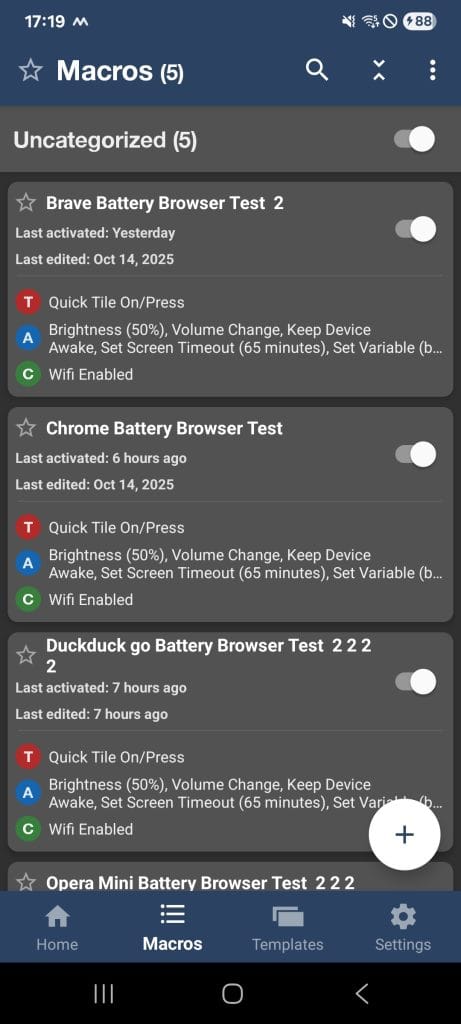
The test workflow was automated using Macrodroid. It simulated for one hour behavior close to that of a real user: constant scrolling, page refreshes, video playback directly in the browser, opening new tabs without closing the existing ones. The goal was precisely to accumulate tabs and activity, just as it normally happens in day-to-day use.
The websites accessed were chosen to cover different types of content:
- YouTube (video playback and scrolling),
- National Geographic (image-heavy content),
- Wikipedia (mostly text pages),
- The Verge (tech site with complex layout and paywall),
- CNN (a lot of media content),
- the Gadgetisimo blog,
- Google News.
At the beginning of each test, the battery level was automatically logged by the Macrodroid automation into a text file on the phone, and at the end, after the preset time expired, the level was logged again automatically. After each round, the phone was charged back to 100% and the exact same steps were repeated for the next browser.
Real Android browser battery test: what the battery showed after one hour
After one hour of continuous use, under identical conditions, the differences between browsers fell within a relatively narrow range. All tests started from 100% battery, and at the end the levels were as follows:
- Samsung Internet: battery at 88%, 12% used
- Brave: battery at 87%, 13% used
- Chrome: battery at 86%, 14% used
- Firefox: battery at 86%, 14% used
- Edge: battery at 86%, 14% used
- Kiwi: battery at 86%, 14% used
- Firefox Focus: battery at 86%, 14% used
- DuckDuckGo: battery at 85%, 15% used
- Opera: battery at 84%, 16% used
- Opera Mini: battery at 84%, 16% used
- Vivaldi: battery at 82%, 18% used
- Comet: battery at 81%, 19% used
It’s important to stress that these percentages should not be interpreted in absolute terms. On phones with batteries of different capacities, the percentage consumption will translate differently into actual usage time. The results are relevant strictly in comparison, between browsers, on the same device and under the same conditions, and they give you an idea of what to expect from each browser in terms of consumption on an Android smartphone.
The original text file
[date][time] Browser start=%batt_start% end=%batt_end%
|||17December20251239 Chrome start=100 end=86
|||17December20251409 Brave start=100 end=87
|||17December20251613 Samsung start=100 end=88
|||17December20251739 Opera start=100 end=84
|||17December20252010 Comet start=100 end=81
|||17December20252150 Firefox start=100 end=86
|||18December20251102 DuckduckGo start=100 end=85
|||18December20251230 Vivaldi start=100 end=82
|||18December20251405 Edge start=100 end=86
|||18December20251539 Kiwi start=100 end=86
|||18December20251716 Firefox Klar start=100 end=86
|||18December20251842 Opera Mini start=100 end=84
Small differences, but measurable
Viewed as a whole, the results confirm the initial hypothesis: most modern browsers have very similar consumption. Differences of 2–3 percent over an hour are hard to notice in normal use, especially on phones with large or relatively new batteries.
However, extrapolated over longer periods or on phones with smaller or degraded batteries, the differences in Android browser battery consumption can become relevant and visible. They won’t radically change battery life, but they can explain that vague feeling that “one browser seems to eat through the battery a bit faster.”
If we take the most economical browser in the test, Samsung Internet, which used 12% of the battery in one hour of continuous operation, and Perplexity’s native AI browser Comet, the difference is 7 percentage points, which means Comet’s consumption is roughly 58% higher than Samsung’s browser. Over a full day of use, heavy usage of the two browsers, according to our tests, could indeed mean that the Comet browser will drain the battery faster.
Another conclusion we can draw is that the native AI functionality built into the Comet browser comes with a certain cost in terms of the phone resources it uses and, implicitly, battery usage. And that’s even though we didn’t use the AI part of the browser during the test; most likely, it was active in the background, which would explain the highest consumption in the test.
Chromium everywhere, but not identical
Another idea we checked in this test was whether browsers based on the same engine have similar resource consumption. As is well known, the main component that largely determines how a browser behaves is the engine it runs on. The rest — the visual layer and other adjacent features — is just an interface on top.
Chromium is by far the most popular engine, used by most Android browsers. Samsung Internet, Brave, Chrome, Edge, Kiwi, Opera, Vivaldi and Comet are the browsers in our test that are based on this engine.
In terms of Android browser battery consumption differences, Samsung Internet, at 12%, is clearly the champion, while Comet and Vivaldi are the hungriest. Chrome, at 14%, and a few other browsers sit around the middle of the pack between these two extremes.
The case of the Vivaldi browser is curious: although it’s not a native AI browser and doesn’t have that energy-hungry AI component, its consumption is very close to Comet’s. I think the explanation here is that the browser includes a ton of additional features that use resources; my personal impression, every time I’ve used it, was that it’s a more complex browser, somehow crammed with features. I’d also mention the desktop-style tab layout on the top bar.
In theory, they use the same engine. In practice, things are more nuanced.
The differences arise because of the extra layer of features:
- some browsers include a VPN or proxy that may run in the background;
- others have more aggressive sync services;
- some focus on extensive customization;
- others experiment with AI features or additional services;
- extra tracking and ad-blocking services.
All these elements can generate extra activity even when they’re not being actively used. That explains why, although based on Chromium, some browsers had higher consumption than others despite sharing the same technological base.
Beyond Chromium, plus privacy features
Another interesting point is the battle between Firefox and Google. In our synthetic performance test of Android browsers, Chrome was far ahead of Firefox. So in terms of performance, Chromium beats Gecko. However, in our consumption test, the two browsers are tied, which shows that in terms of resources used, Gecko is at least on par with Chromium.
Browsers known for privacy, with native tracking and ad blocking, such as Brave, DuckDuckGo, Kiwi and, partially, Opera, don’t particularly stand out in the consumption test. Brave, at 13%, is somewhat the champion in this category. And that tells us that the privacy features built into these browsers don’t use more background resources than a browser that doesn’t have them.
“Light” browsers: promise vs. reality
Opera Mini and Firefox Focus are officially promoted as lightweight, fast and economical browsers. Their marketing suggests a clear advantage in resource consumption.
In this test, that advantage wasn’t obvious. Their consumption was exactly like that of classic browsers, and in some cases even higher. This suggests that in the context of the modern web — with complex, multimedia, script-heavy sites — the benefits of the “light” approach are much more limited. We could even say that, from a resource consumption perspective, there’s not much point in using a light browser.
What’s left after the test
This test doesn’t top the list of criteria for choosing a browser, but it does confirm something important: Differences in Android browser battery consumption are small, but they do exist.
And they come more from extra features and services running in the background than from the engine used.
When all other aspects between browsers are similar, these consumption differences can become a relevant secondary factor — enough to explain why, at the end of the day, your battery sometimes seems to drain “a bit faster” with one browser than with another.
