


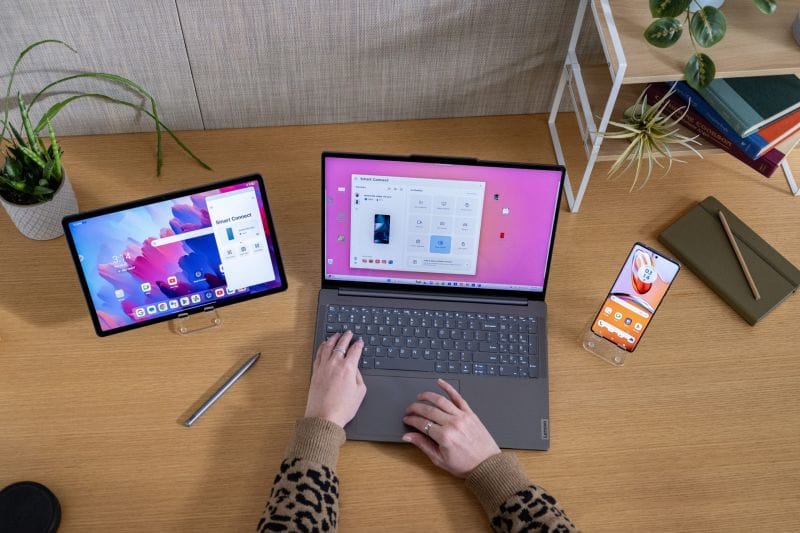
Working on a phone or tablet like on a PC or laptop. With keyboard and mouse. This Holy Grail of modern gadgets.
On the Motorola Edge 50 Ultra I have 16 GB of RAM and 1 TB of internal storage. On my home PC I also have 16 GB of RAM, but only 700 GB of internal storage. Isn’t it a shame not to use all those resources when I’m away from home? If I already have a “computer in my pocket”, why should I spend money on a laptop? If I’m changing my phone every 2–3 years anyway, I’m also changing my “laptop” every 2–3 years. Why should I have two mobile devices, each used at half of what they can offer, when I can save money (and reduce electronic waste, to keep up with the times) and just use one?
What to expect
I’ve met people on Reddit who claim they’ve completely given up on PCs / laptops. Of course, it’s not for everyone. Or for everything. When it comes to apps, we’re limited to what’s available on our gadget. Not every app is optimized to work in resizable windows; some stubbornly insist that the phone’s portrait window is the best choice, so when you resize the window, the UI becomes horrible.
We won’t be running Microsoft’s Office 365 suite or Adobe’s Creative Cloud suite natively on the phone. There are mobile apps, including from the suite makers themselves, or equivalent alternatives from others. But—and this is the big advantage—if we’re not happy with the mobile versions, we can connect remotely to our home or work PC and get things done exactly how we want. Not to mention that I can install Linux on my phone and then I have a real desktop with me at all times.
This is how I’ve been working since around 2021, back when I had a OnePlus 7.
What I need
- A phone or tablet with a USB Type-C 3.1 port with DisplayPort video output (the so‑called DP Alt Mode) or the ability to connect wirelessly to a display. For example, the Motorola Razr 50 Ultra has USB Type-C 2.0, but it can be used as a mobile desktop because it connects wirelessly via Miracast to displays that support this feature. For Motorola you can find the necessary information about which phones support Smart Connect and through what type of connection on the Smart Connect Compatibility Chart page. The same type of information, but for Samsung and its DeX, can be found on the Set up and use Samsung DeX on your Galaxy phone or tablet page.
- For wired connection to the display: a Type-C to Type-C data cable (if the display has Type-C) or Type-C to HDMI, or HDMI to HDMI plus a Type-C to HDMI adapter or hub. Attention! If you have a touch display, you need a USB cable; HDMI does not transmit touch data, only image and sound.
- Keyboard and mouse, preferably mobile versions. The mouse is not mandatory; it can be replaced by the phone screen acting as a touchpad (if the software offers this functionality).
- Display. It can be a mobile one (preferably with touch), a desktop monitor, or even a TV. For mobile ones there are versions with or without an internal battery. Or even AR glasses.
- Optionally, an external battery.
There’s also the so‑called lapdock option. It looks like a laptop, but it’s just a display + keyboard + touchpad + internal battery + USB / HDMI ports, possibly an SD card reader.
What I use (and why these and not others)
- Motorola Edge 50 Ultra phone, because the previous one, the Edge 20 Pro, gave me the best features / price ratio, including Smart Connect (back then it was called Ready For);
- Viewsonic TD1665 portable touch display. I needed a 15”–16” display (laptop-sized) with touch, so I could also use it as a large tablet;
- Logitech K380 multi‑device keyboard. Multi‑device for those occasions when I also work on a regular tablet;
- Logitech M720 Triathlon multi‑device mouse;
- Baseus Amblight power bank.
Why didn’t I choose a lapdock? Their market is quite small, so you might end up waiting for them. On top of that, there’s no warranty in Romania and I’m not a fan of products that have to be sent for warranty service to other continents or even just another country.
And there’s another issue: quality. Viewsonic or Logitech play in a completely different league than Nexdock or Uperfect.
Desktop on Mobile – Part 2
What mobile desktop solutions do phone and tablet manufacturers offer us?
Desktop on Mobile – Part 3
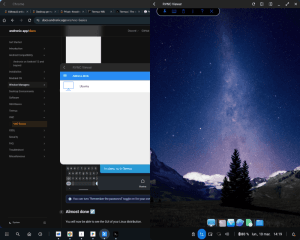
Let’s go step by step and see how to install Linux on Android, so we can have a real mobile desktop system in our pocket.
Desktop on Mobile – Part 4
In the last article of the series, we draw some conclusions. Is a mobile desktop worth it or not?

Post fully edited on Smart Connect (Ready For) / Motorola Edge 50 Ultra
Sources: Motorola News
